
AI presentations · native PowerPoint
Decks that open in PowerPoint and stay fully editable.
Describe what you need to present. Approve the storyline, then get a polished .pptx made of real text, charts and tables, not pictures of slides.
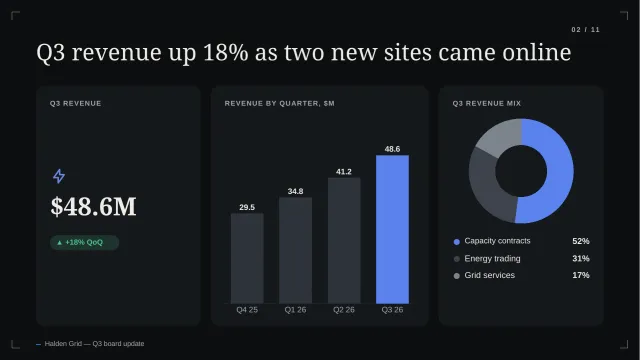
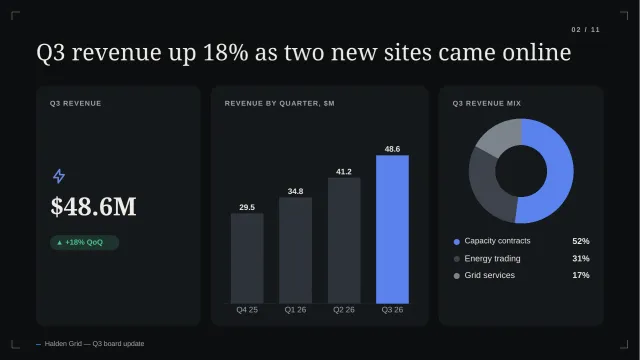
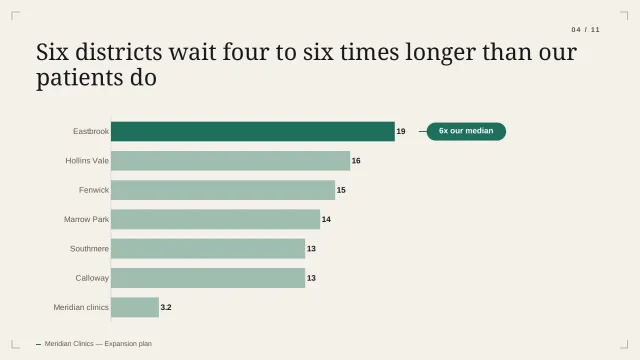
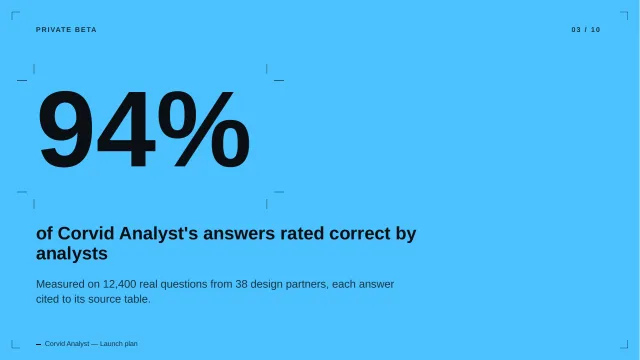
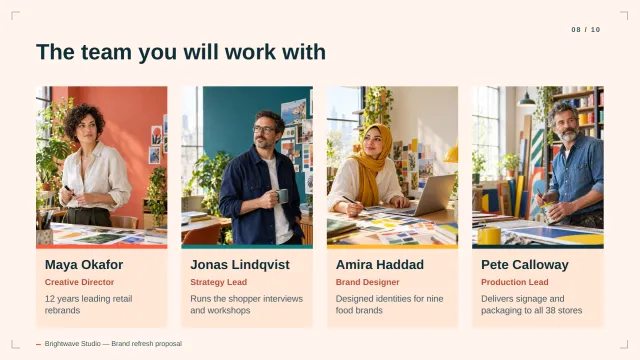
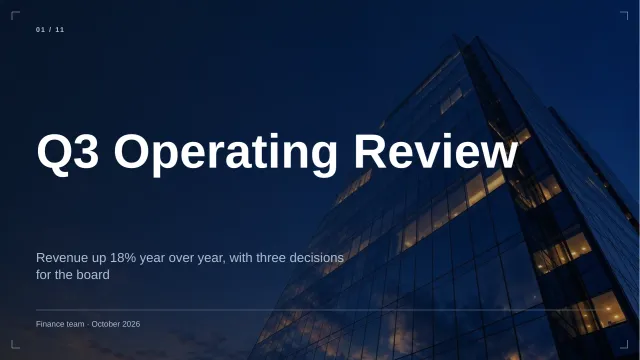
Inside the Halden Grid example deck
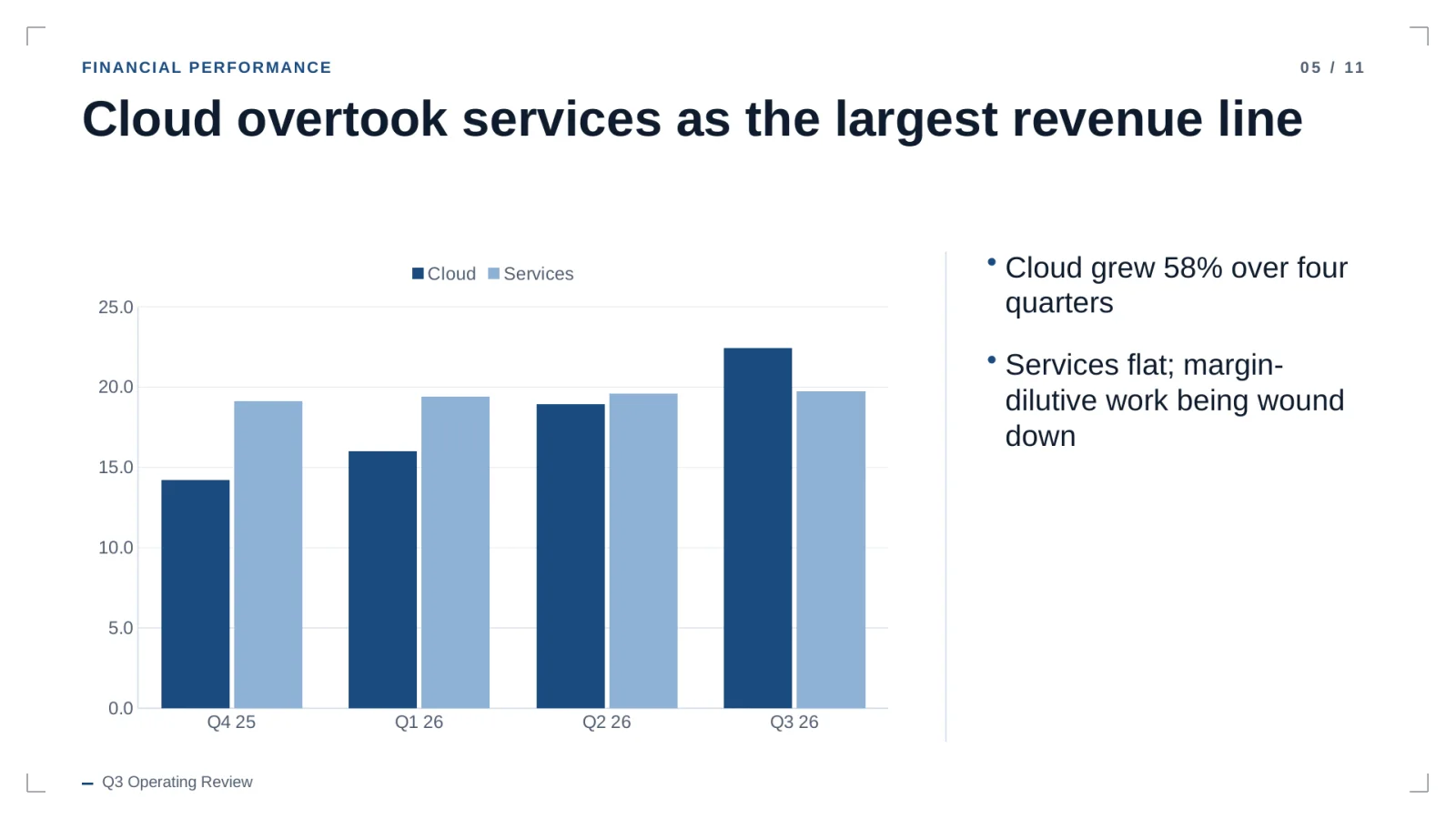
Editability report · measured, not estimated
- Native text boxes
- 98
- Charts with data
- 3
- Native tables
- 1
- Photos
- 7
- Images of text
- 0
- Smallest type
- 10.5 pt
The problem
A deck that only looks right in a browser isn’t finished until it holds up in PowerPoint.
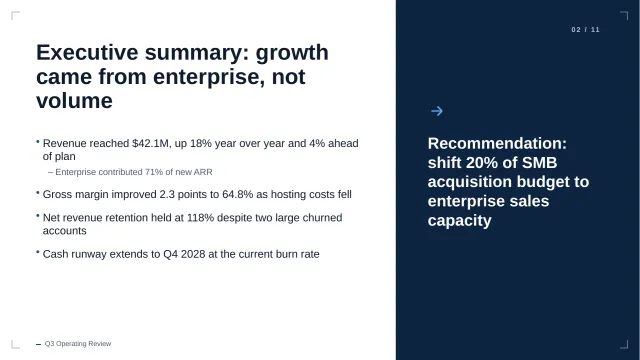
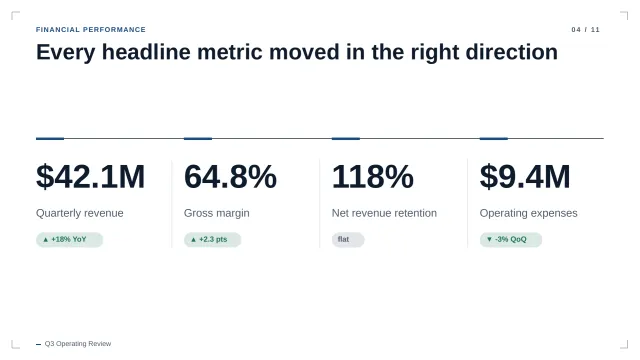
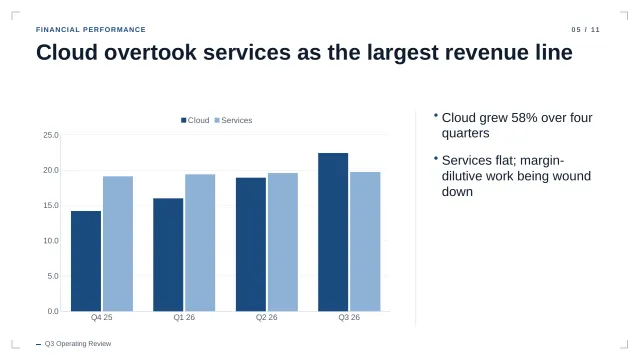
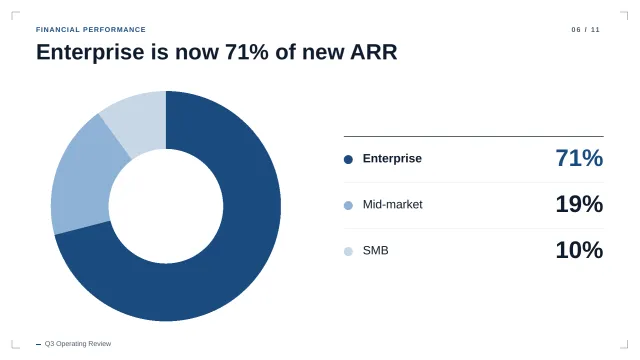
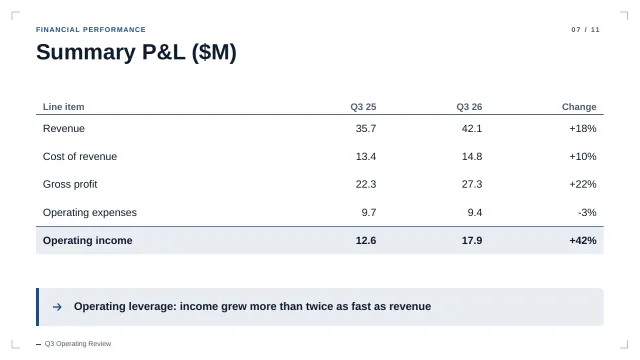
A flattened export
Pictures of slides
Images and text you can't edit without starting over.
We export
PowerPoint objects
Text boxes, native charts with their data, and real tables.
So you can
Keep working
Change a number, fix a word, restyle a slide. Like any deck your team made.
How it works
From a brief to a finished deck in four steps.
You stay in control at the moment that matters: before anything is generated.

What is this presentation for?
Seed-round pitch for Fieldnote. Investors should leave convinced that technicians lose a day a week to paperwork and that our traction proves we fix it.
After the first draft
Edit, present and share in the same place.
The .pptx is only one way out. Here is what else is in the app today.
- Start from anythingA brief, your documents, a spreadsheet or one of 212 templates.
- Every kind of slideCharts, diagrams, maps, code, equations, photos and icons.
- Themes and brand22 themes, 62 palettes, brand kits and your own template.
- Edit togetherLive co-editing, comments, approvals and an AI assistant.
- PresentTransitions, presenter view, rehearsal and live audience polls.
- Share and follow upProtected links, deal rooms and per-slide analytics.
- Export and adaptPPTX, PDF, PNG, MP4 video and Google Slides.
- Workspace and developersFolders, API, webhooks and an MCP server.
Who it's for
For people whose slides get scrutinised.

Founders
Seed decks and investor updates
Learn more
Consultants and agencies
Findings and recommendations
Learn more
Sales teams
Proposals for each account
Learn more
Finance and operations
Board packs and quarterly reviews
Learn more
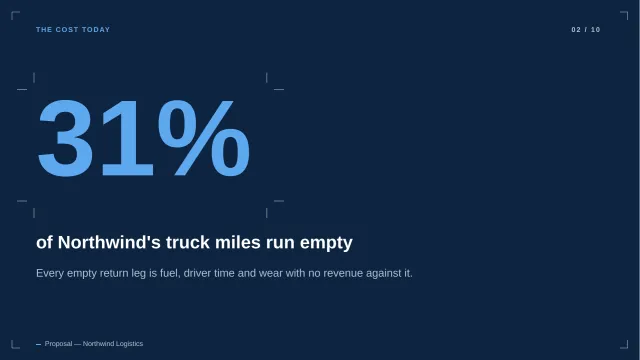
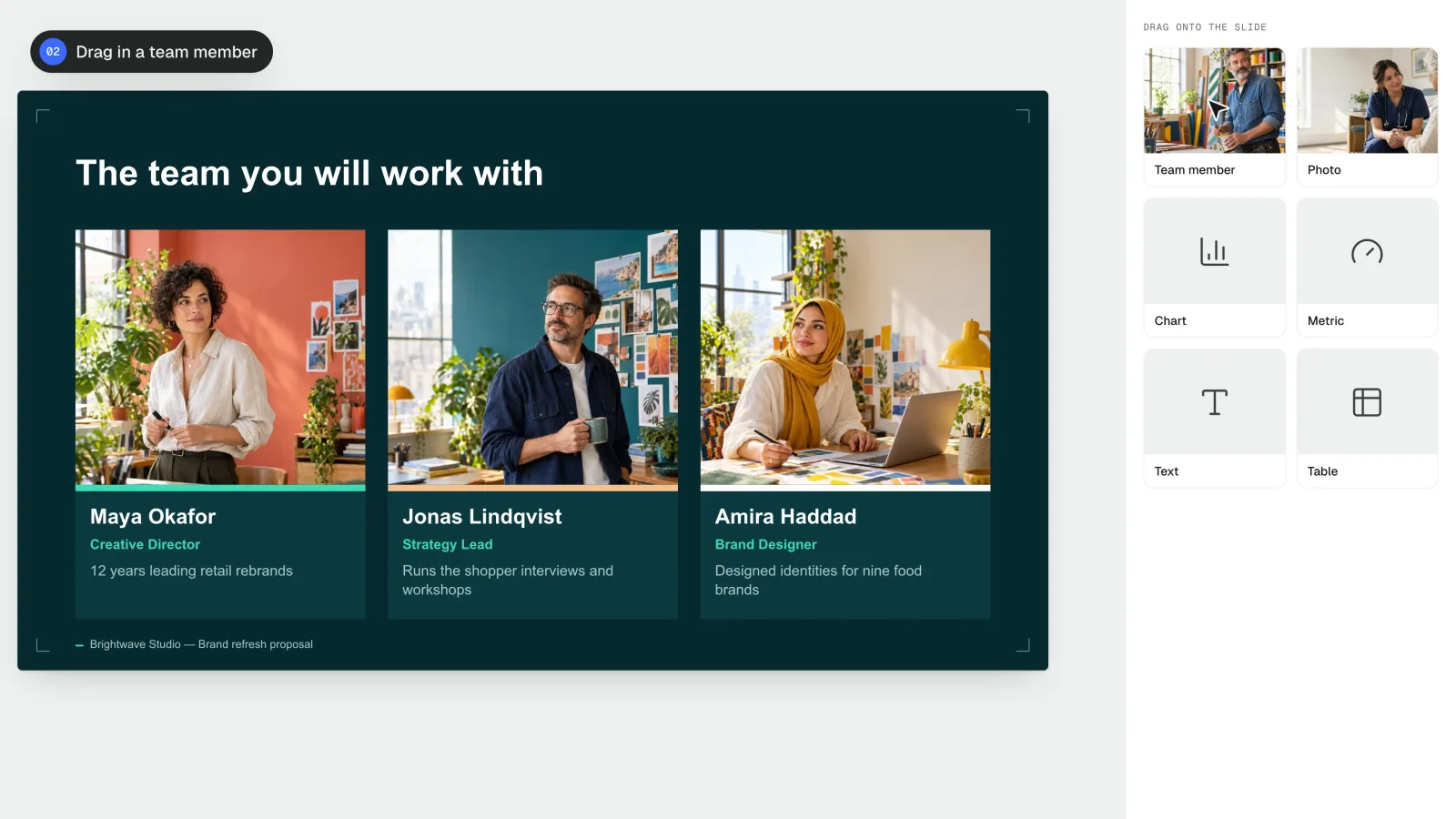
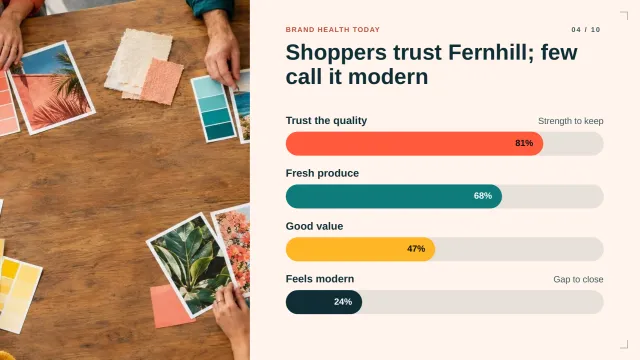
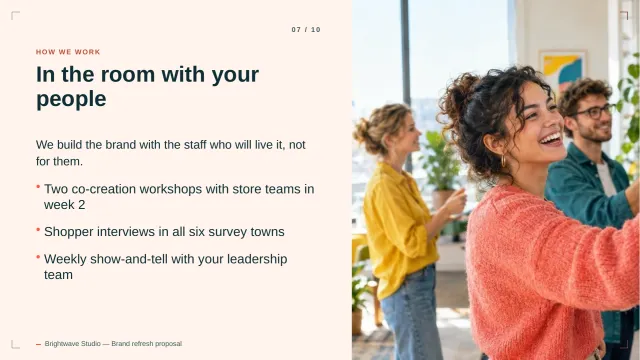
Photos are original AI-generated imagery · slides are real output
Security
Security built in from day one.
Workspace isolation, private storage, sandboxed parsing and no-training AI terms are in place today.
Workspace isolation
Every table is protected by row-level security. Other customers can't read your decks, sources or usage.
No training on your content
AI runs on Google's paid Gemini API, under terms where Google doesn't use your prompts or the responses to improve its products. We don't train models on your files, and never use them to build our templates.
Private files
Uploads and exports live in private storage, reachable only by your workspace, or through share links you create, via short-lived signed links.
Sandboxed processing
Documents are parsed in isolated processes with size and format limits, before any AI sees them.
- Row-level security
- Private storage
- Signed file access
- Sandboxed parsing
- Content Security Policy
- Rate limits
Pricing
Pay for slides, not seats you don't use.
One credit makes one Standard slide. Start with 20 free credits, no card required.
Free
$0
Free to start, no card
20 one-time trial credits, valid 90 days
Try the full workflow on a real deck.
Slides your credits make
- Draft
- 40
- Standard
- 20
- Premium
- On Pro and Business
Starter
$12.99/mo
Billed monthly
75 credits a month
For a few important decks a month.
Slides your credits make
- Draft
- 150
- Standard
- 75
- Premium
- On Pro and Business
ProRecommended
$24.99/mo
Billed monthly
225 credits a month
For people who present every week.
Slides your credits make
- Draft
- 450
- Standard
- 225
- Premium
- 56
Teams start at $59.99/mo. Compare all plans
FAQ
Questions, answered plainly.
Still have questions?
See exactly what the product makes, how pricing works and how your data is handled.
Is the output really editable in PowerPoint?
Yes. Titles and bullets are normal text boxes, charts are native PowerPoint charts with their data embedded, and tables are real tables. Open the file and edit it like any deck your team made by hand.
Will my fonts survive editing in PowerPoint?
Yes. Every .pptx carries its open-licence fonts inside the file, so it looks the same on computers that don't have them. One catch: PowerPoint for Mac leaves the fonts out when it saves the file again, unless you turn on PowerPoint › Preferences › Save › “Embed fonts in the file”. On Windows the same setting is under File › Options › Save.
What is a credit?
One credit makes one Standard slide. Draft slides cost half a credit and Premium slides cost four. You see the cost of the whole deck before you approve the outline, and you can change it by removing slides.
What happens if I cancel or something fails?
Credits are reserved when you start and settled at the end. If a deck fails, the reservation is returned. If you cancel, you pay only for slides already produced.
Can I use my own brand?
Yes. Save a brand kit with your colours, logo, footer and fonts from our open-licence font library, or start one from your website or your company PowerPoint template. Admins can lock a workspace to approved kits.
Can my team work on a deck together?
Yes. On the Business plan, three people share one workspace: they can edit the same deck at once, comment, and ask for approval before it is shared. On any plan, you can let people you share a link with leave comments.
Do you train AI models on my files?
We don't train models on your files, and we don't reuse your content for anyone else. AI features run on Google's Gemini API under Google's paid-service terms. Under those terms Google doesn't use your prompts or the responses to improve its products. It keeps them only for a limited period, to detect and prevent abuse and to meet legal requirements. Please don't upload special-category or other highly sensitive personal data, and check AI output before you rely on it.
Are the examples on this site real?
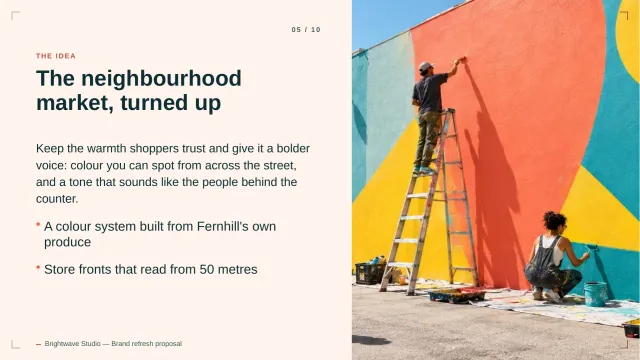
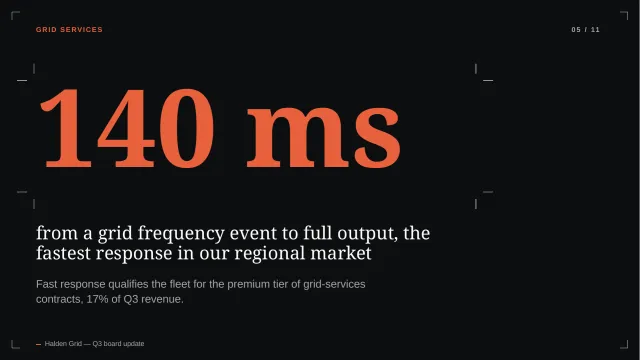
They are real output from the product, generated from illustrative briefs. The companies and numbers in them are fictional.


Your next deck, ready to edit.
20 free credits. No card. Review the outline before you spend any of them.